
Steps
Step 1: Contact our support team
Get in touch with us using one of the methods below. Calling is fastest as we'll need to verify your identity over the phone before we can process an MFA reset.
- Call Us
Phone: 1800 982 418
International: +61 7 5619 5700
Hours: 8:30am - 5:30pm AEST/AEDT, Monday - Friday - Email: info@sendpayments.com
If you contact us by email, we'll ask you to call us or arrange a recorded call. For your security, MFA resets cannot be completed via email.
Step 2: Verify your identity
Once you reach our team, we'll ask questions to verify your identity before we reset MFA or discuss account-specific information. Please have your account details on hand. This step protects your account t from unauthorised access.
Step 3: We'll reset your MFA
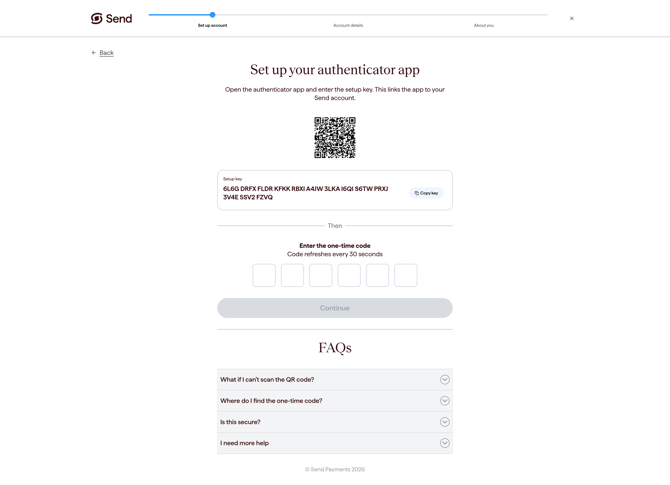
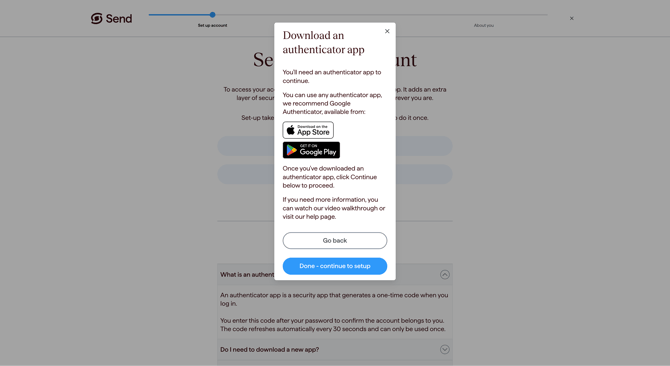
After we've confirmed your identity and received your consent, our team will reset MFA on your account. The next time you log in, you'll be prompted to set up your authenticator app again on your new device.
What happens next
- Timeframe: Most MFA resets are completed within a few minutes of your identity being verified.
- Logging back in: Once your MFA has been reset, log in as usual and follow the prompts to set up your authenticator app again.
- Updates on transfers: If you need an account-specific transfer update, our support team can only discuss this with you by phone after completing identity verification.
Common questions
I've lost my phone and I'm worried someone may access my account
If you think your phone has been stolen, or you're concerned someone may try to access your account, please contact us immediately so we can help secure it. For more information, see What to do if someone gets access to or hacks my account.
I have a new phone number but still have my old authenticator app
You only need to contact us if you've lost access to the authenticator app itself. If your authenticator app still works on your device, you can keep using it. If you'd like to update the phone number on file, see How do I update my phone number.
I changed phones and didn't transfer my authenticator app
This is one of the most common reasons people lose MFA access. Please contact us and we'll reset it for you. To avoid this in future, save the recovery code or backup details your authenticator app gives you when you set it up, and keep them somewhere safe and secure.
I'm overseas and can't call the Australian number
You can reach us on our international line: +61 7 5619 5700. You can also email us at info@sendpayments.com, although phone is faster as we'll need to verify your identity before resetting MFA.
How can I avoid this happening again?
We currently support authenticator apps only. To avoid losing access in future, save the recovery code or backup details from your authenticator app somewhere safe and secure, so you can restore them on a new device if needed. For more information, see MFA FAQs.
Contact us
Call Us
Phone: 1800 982 418
International: +61 7 5619 5700
Hours: 8:30am - 5:30pm AEST/AEDT, Monday - Friday