
Before you start, make sure you have the following
- A stable internet connection
- The latest version of your browser
- Your login details
Step 1: Try the action again
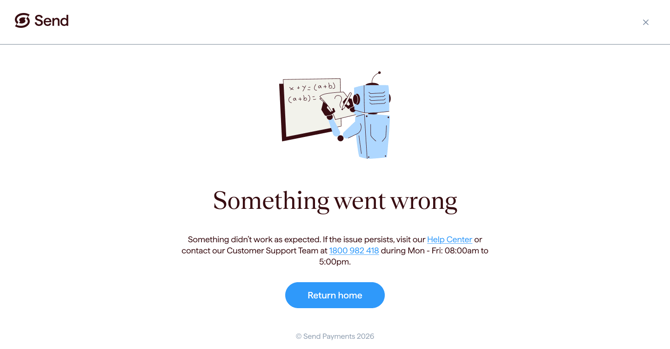
Wait a moment, then try the action again. Many errors are temporary and clear on the next attempt.
Step 2: Refresh the page
- Press the refresh button or reload your browser tab.
Step 3: Check your internet connection
- Make sure you're connected to a stable Wi-Fi or mobile network.
- If your signal is weak, try switching networks (for example, from Wi-Fi to mobile data).
Step 4: Log out and log back in
- Open your profile menu and select Log out.
- Sign back in with your usual login details, then try the action again.
Step 5: Try a different browser or clear your cache
- Open the Send portal in a different browser (such as Chrome, Safari, or Edge).
- Or clear your browser cache and cookies, then try again.
How to clear your cache on most browsers:
- Open your browser's Settings or Preferences.
- Go to the Privacy section.
- Select Cookies and site data, Browsing data, or Website data (the exact name depends on your browser).
- Click Clear (or Clear data).
- Reload Send and try again.
Tip: Clearing your cache will sign you out of websites you're logged into. Have your Send login details ready before you start.
What happens next
- Most "Something went wrong" messages are temporary and clear within a few minutes.
- If the same error keeps happening after you've tried the steps above, please contact the Send Support Team.
Common questions
I keep seeing the error every time I try
- This may mean there is a temporary issue with our service or your network.
Did my payment go through?
- If you started a payment and saw this error, please contact the Send Support Team before trying again.
- Our team can confirm whether your payment was created and help you decide what to do next.
The error appears right after I log in
- Try clearing your browser cache and cookies, or try a different browser or device.
- If the error continues, contact the Send Support Team.
Contact us
Call Us
Phone: 1800 982 418
International: +61 7 5619 5700
Hours: 8:30am - 5:30pm AEST/AEDT, Monday - Friday